Showing posts with label tutorials. Show all posts

Friday, August 23, 2013

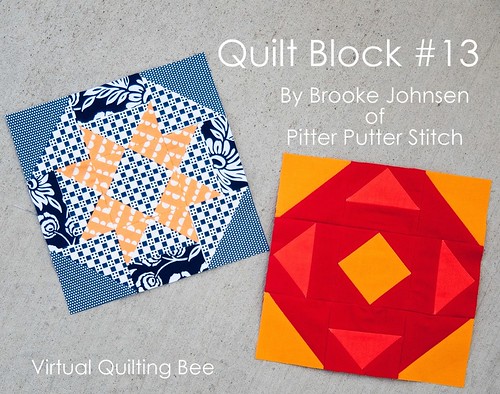
Virtual Quilting Bee: Starflake Block Tutorial

Hi there! My name is Brooke and this is my little piece of the blogosphere. If you're here from Amy's blog, Diary of Quilter, welcome! Take a few minutes to look around. I hope you'll like what you see.


I was excited when Amy asked me to participate in her virtual quilting bee (more details here). Amy is one of the most wonderful people, so if you ever get the chance to meet her, you're one lucky person!

Virtual Quilting Bee Block Tutorial

This block is comprised of four half square triangles (HSTs), four flying geese units, four rectangles, and one square-in-square block. Depending on the focus you want the block to take, you can make several variations of this block: two color, scrappy, monochromatic, low contrast, and more. At the end of this tutorial, I'll show you how this block can look different just by changing your fabric placement.

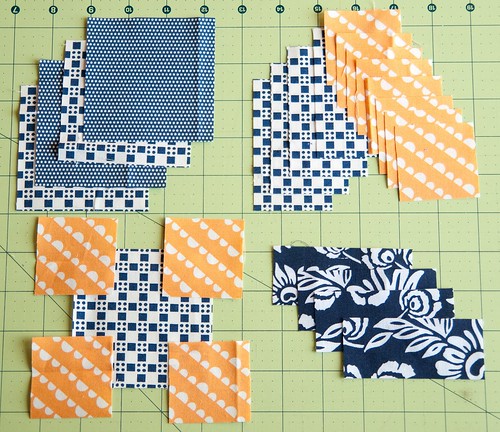
Cutting Directions

Note: When I refer to "print A" or "print B," I just mean that the unit itself should have two separate fabrics, not that prints A and B are consistently the same fabric throughout the tutorial.

HSTs
From two fabrics, cut the following:
(2) 3 3/8" squares of print A
(2) 3 3/8" squares of print B (top left in the photo below)

Flying Geese
From two fabrics, cut the following:
(4) 3 1/2" x 2"strips of print A
(8) 2" squares of print B (top right in the photo below)

Rectangles
From one fabric, cut the following:
(4) 3 1/2" x 1 1/2" strips (bottom right in the photo below)

Square-in-Square
From two fabrics, cut the following:
(1) 3 1/2" square of print A
(4) 2" squares of print B (bottom left in the photo below)
Virtual Quilting Bee Block Tutorial

Pre-Assembly Directions

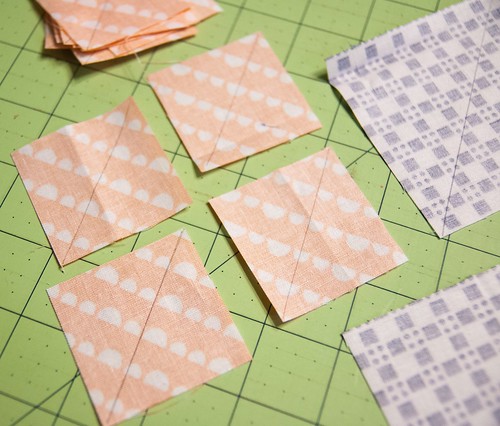
Grab a pencil or fabric marking pen and the following pieces of fabric you just cut:
(12) 2" squares
(2) 3 3/8" squares (make sure the two prints are the same)

Mark a line on each piece of fabric on the diagonal.
Virtual Quilting Bee Block Tutorial

HSTs
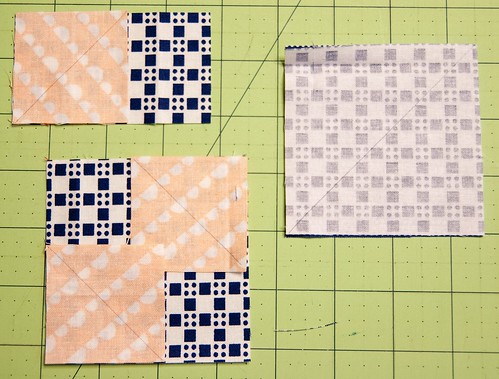
Take the (2) 3 3/8" squares that you marked and place them right sides facing on the (2) 3 3/8" unmarked squares. (Refer to the image on the right in the photo below.)

Flying Geese
Take (1) 2" square and (1) 3 1/2" x 2" strip. Place the square on top of the strip as shown in the top left image below, ensuring that the line you drew extends from the bottom left corner to the top middle of the strip.

Repeat with (3) more squares and (3) more strips.

Square-in-Square
Take (2) 2" squares and (1) 3 1/2" square. Place the 2" squares on opposite corners of the larger square, right sides facing, ensuring that the diagonal lines you drew on each square do not extend into the corners. (Refer to the image in the bottom left of the photo below.)
Virtual Quilting Bee Block Tutorial

Sub-Block Piecing Directions

For each flying geese unit and the square-in-square block, you need to stitch directly on the diagonal line you drew on the 2" squares. Refer to the next two photos.
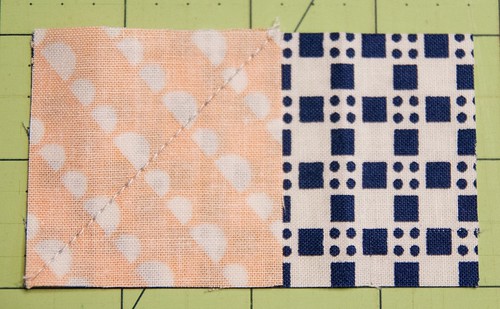
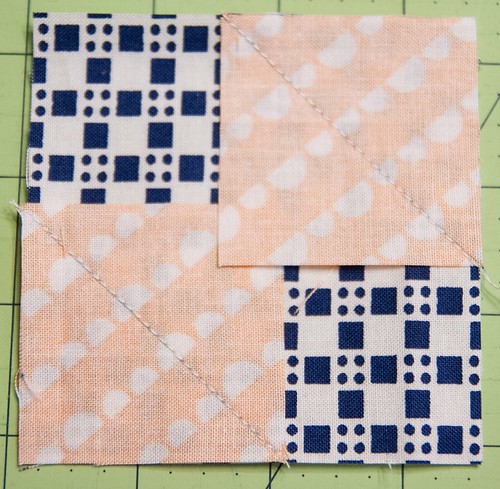
Virtual Quilting Bee Block Tutorial

Virtual Quilting Bee Block Tutorial

For the HSTs, sew 1/4" on each side of the drawn line rather than on the line itself.
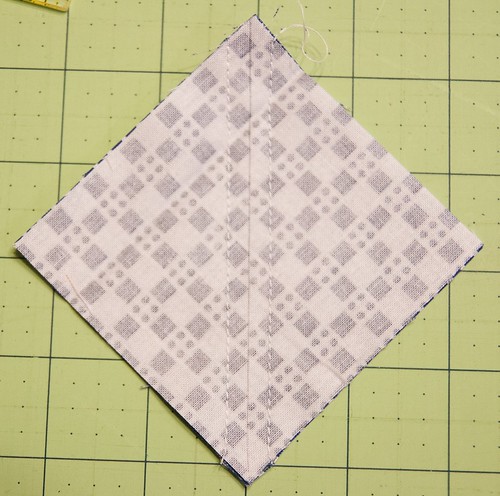
Virtual Quilting Bee Block Tutorial

Piecing this blocks goes quickly if you chain piece assembly-line style.
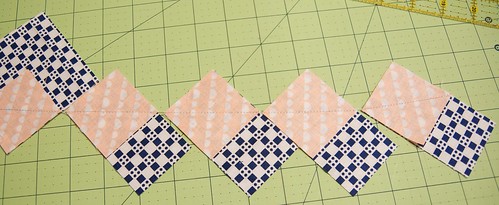
Virtual Quilting Bee Block Tutorial

Once you've sewn along your lines, next comes the cutting part.

HSTs
Cut along the line you drew.
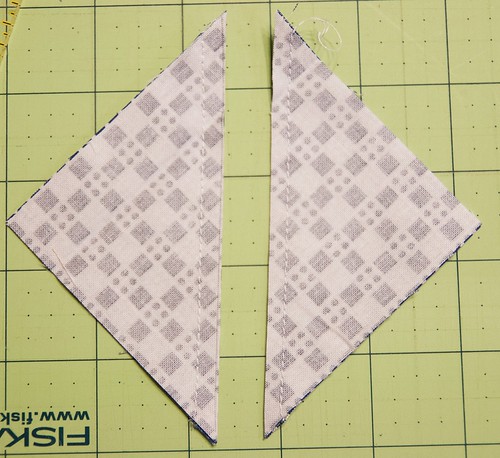
Virtual Quilting Bee Block Tutorial

Flying Geese
Cut 1/4" away from the stitched line.
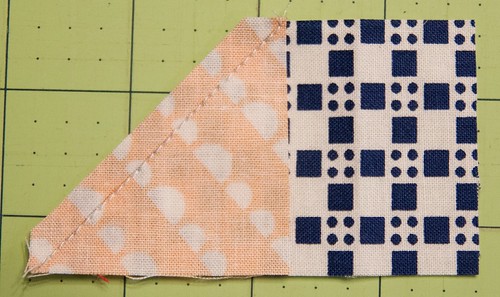
Virtual Quilting Bee Block Tutorial

Square-in-Square
Cut 1/4" away from each stitched line, toward the outside corners.
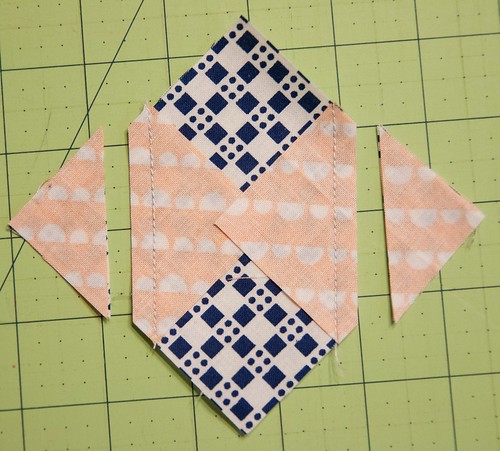
Virtual Quilting Bee Block Tutorial

Pressing Directions

Once you've stitched and cut each unit up to this point, press your units open to minimize bulk.
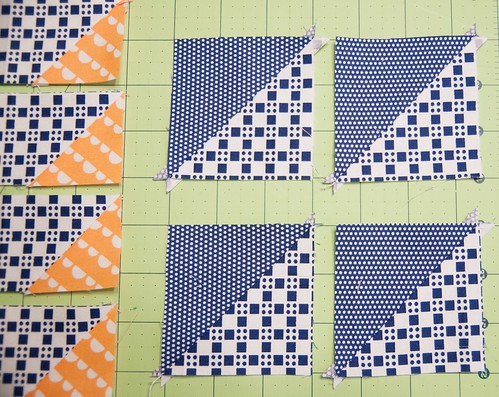
Virtual Quilting Bee Block Tutorial

Virtual Quilting Bee Block Tutorial

Remaining Pre-Assembly Directions

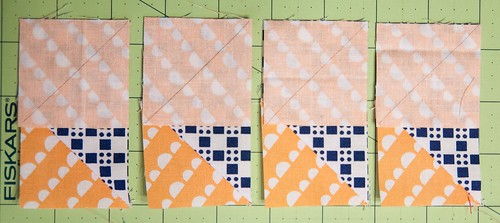
Flying Geese
With the remaining (4) 2" squares, repeat the steps noted above for the flying geese units. Refer to the photo below to place the squares with the diagonal lines running in the right direction on each strip. Make sure to place the fabrics right sides together.
Virtual Quilting Bee Block Tutorial

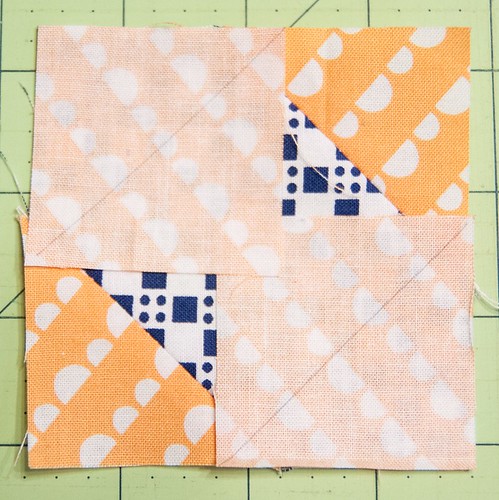
Square-in-Square
Take the (2) remaining 2" squares for the square-in-square block and place them on the opposite corners from where you placed the previous squares. Refer to the photo below for correct placement of the diagonal lines.
Virtual Quilting Bee Block Tutorial

Remaining Sub-Block Piecing Directions

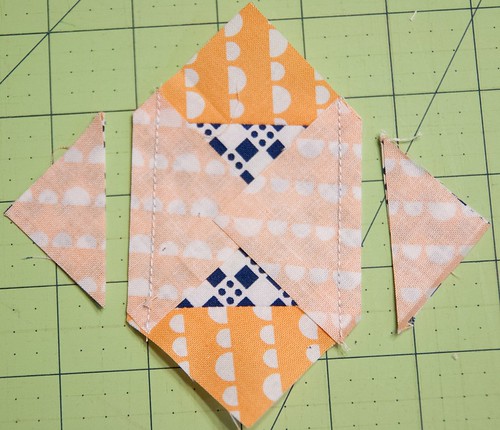
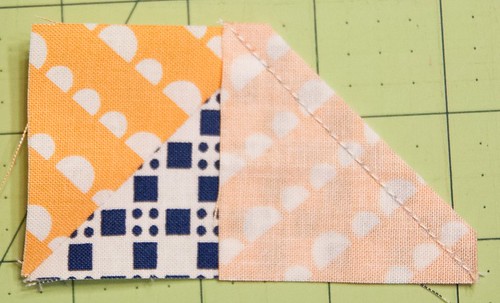
Stitch along the diagonal lines for both the square-in-square block and the remaining flying geese units. Trim 1/4" from the sewn lines.
Virtual Quilting Bee Block Tutorial

Virtual Quilting Bee Block Tutorial

Remaining Pressing Directions

Press these remaining seams open to reduce bulk.
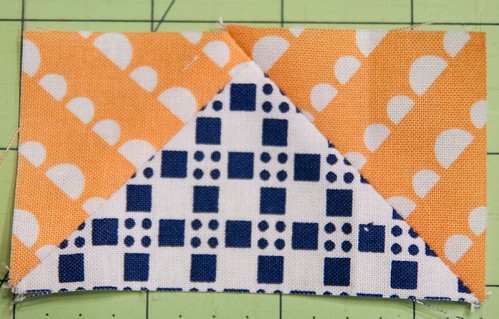
Virtual Quilting Bee Block Tutorial

Virtual Quilting Bee Block Tutorial

Block Assembly Directions

Now that all your sub-units are pieces, lay the blocks out like so.
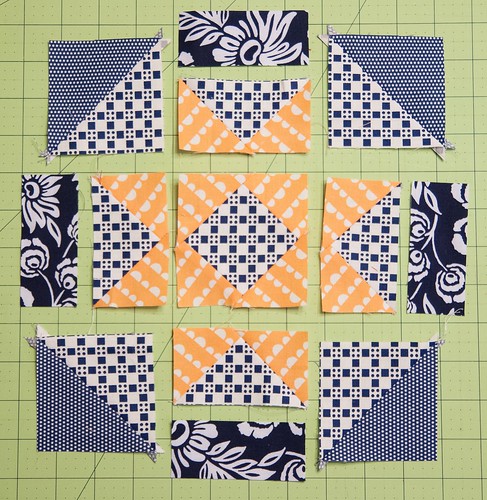
Virtual Quilting Bee Block Tutorial

Piece the 3 1/2" x 1 1/2" strips to each flying geese unit.

Then piece each sub-unit into rows and then piece the rows together. You'll end up with a block like this, which measures 8 1/2" unfinished.
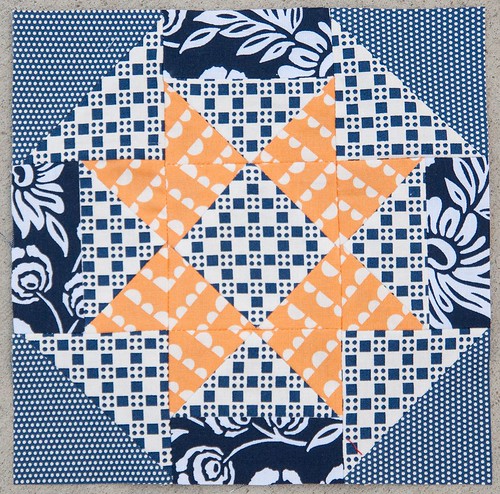
Virtual Quilting Bee Block Tutorial

Now that you've completed your block, here are a few others that show how different the block can look based on the fabrics as well as the layout.

For this solid fabric block, I reversed the direction of the flying geese units.
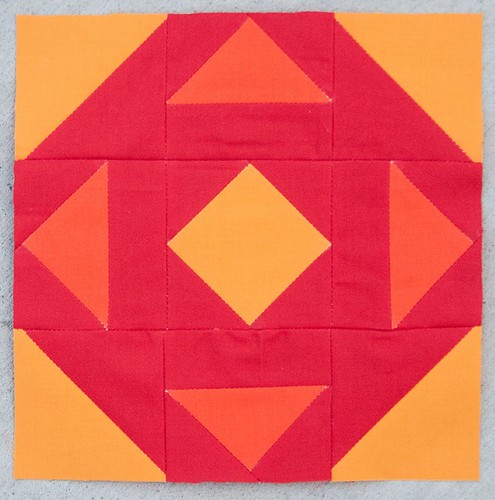
Virtual Quilting Bee Block Tutorial

And here's my initial test block. The fabrics in this block have the same level of contrast, creating a softer, more low volume look.
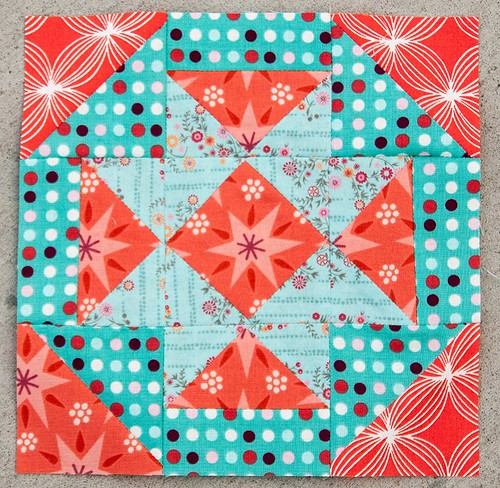
Virtual Quilting Bee Block Tutorial

Now, if you make more blocks in each varied style, you could have a quilt that looks like this:
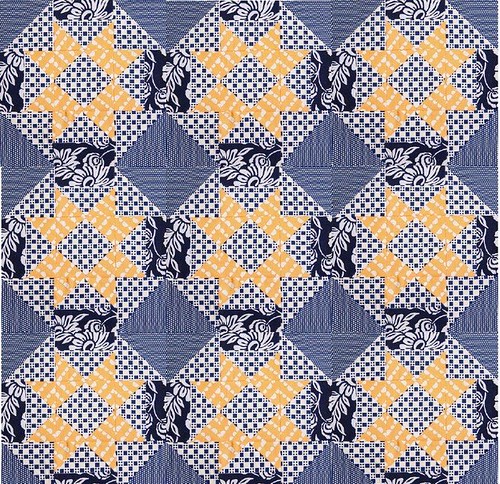
Virtual Quilting Bee Block Tutorial

or this:

Virtual Quilting Bee Block Tutorial

or this:

Virtual Quilting Bee Block Tutorial

I have to say that while I like the individual block I made out of the Happy Go Lucky fabrics, I like how dramatic the Kona block layout is.

If you've missed any of the previous block tutorials, you can catch up on them here. Also, make sure to add your blocks to the Flickr group so we can all see!

Please let me know if you run into any problems while making this block. I'm happy to answer any questions or help out in any way that I can.

Sunday, November 18, 2012

Paper Pieced Kaleidoscope Tutorial

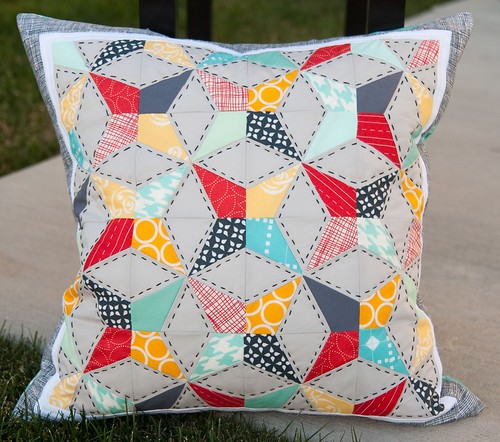
Way back in March, I saw this stunning quilt top on Rita's blog. I was absolutely awestruck and mentally jotted down "paper pieced kaleidoscope quilt" on my to-make list. Fast forward to round 9 of the Pillow Talk Swap (PTS9) when I was partnered with Adrianne of Little Bluebell. I've been a big fan of Adrianne's for a while now and really wanted to make something that she'd enjoy. In her description of what she'd like to receive, she listed simple, all-over design as being something she liked. Almost immediately, Rita's quilt top popped into my head and I came up with this pillow version. I've put together a little tutorial on how I made my PTS9 pillow. Let me know if you have any questions.

First, you need to determine the size of blocks you want to make. I wanted 4" finished blocks so I could easily make them work with a 16", 20", or 24" pillow form. You'll need to adjust the size of you paper if you want larger or smaller blocks.

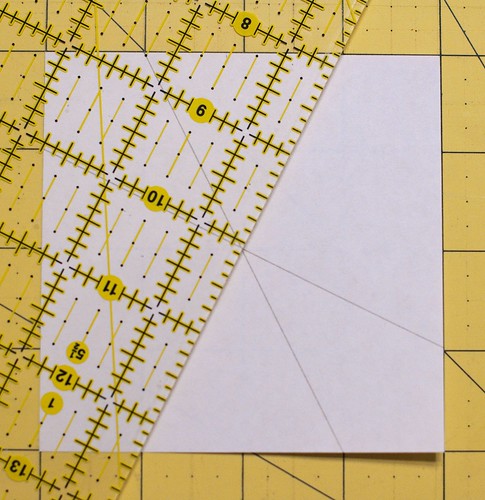
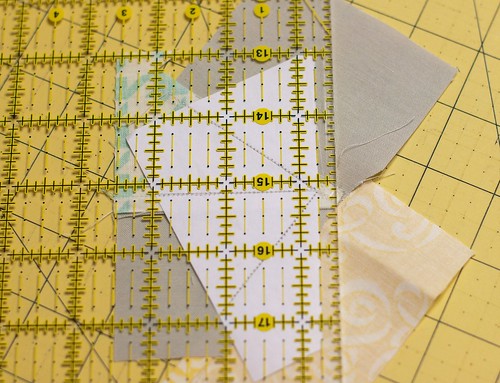
Start with a 4x4" piece of paper. Line your paper up on your cutting mat and then begin drawing the following lines by rotating your ruler around the square.

Top left to bottom right - one inch in from both sides:

Foundation Paper Pieced Kaleidoscope Block Tutorial

Top right to bottom left - one inch in from both sides: (this image also shows my drawn line top left to bottom right of one inch down and one inch up)

Foundation Paper Pieced Kaleidoscope Block Tutorial

Top right to bottom left - one inch down and one inch up:

Foundation Paper Pieced Kaleidoscope Block Tutorial

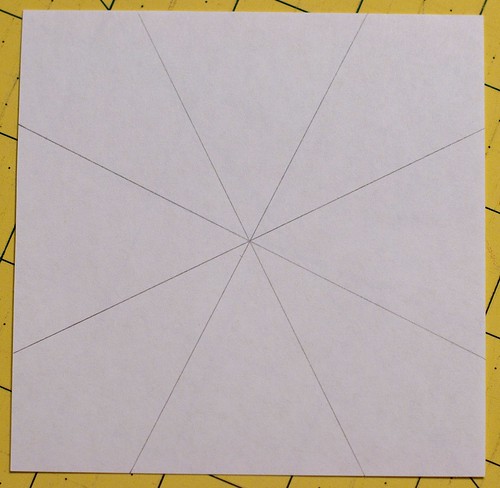
Your finished block should have four criss-crossing lines on it and should look like this:

Foundation Paper Pieced Kaleidoscope Block Tutorial

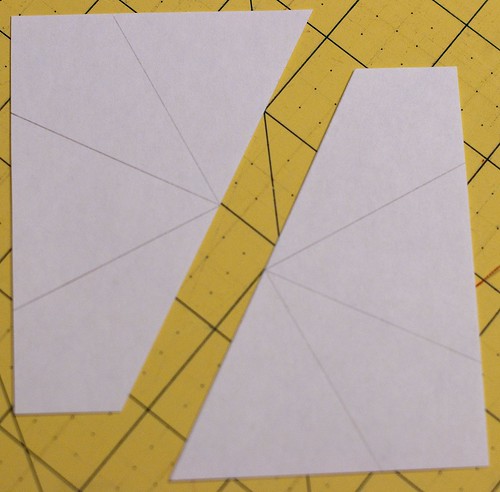
Next, align your ruler with one of the drawn lines (it doesn't matter which one), and cut the square into two halves.

Foundation Paper Pieced Kaleidoscope Block Tutorial

Then, paper piece your desired fabrics onto one half of the paper. Since we used a 4" square, which is our finished size, make sure you have plenty of fabric on the outside edges of the paper for trimming. For paper piecing basics, check out this post or do a web search for "paper piecing" (not to be confused with "English paper piecing") - there are plenty of posts and videos out there to help you if you've never tried paper piecing before.

Foundation Paper Pieced Kaleidoscope Block Tutorial

Repeat with the other half of your 4" square.

Foundation Paper Pieced Kaleidoscope Block Tutorial

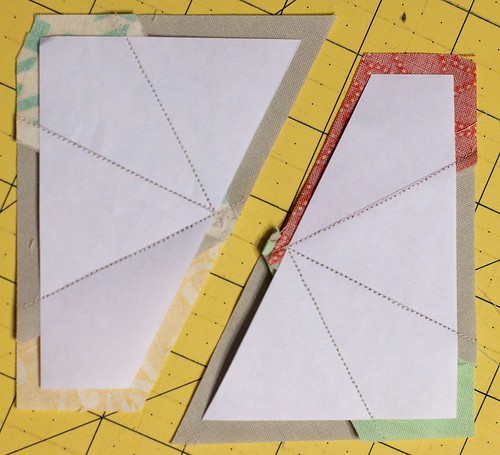
Now it's time to square up both halves. Place your 1/4" mark on your ruler on each edge of the paper and trim. This is your seam allowance.

Foundation Paper Pieced Kaleidoscope Block Tutorial

Each trimmed half should look like this:

Foundation Paper Pieced Kaleidoscope Block Tutorial

Foundation Paper Pieced Kaleidoscope Block Tutorial

Align your two halves so the long diagonal edges of each paper match up, right sides together. Stitch just along the edge of the paper. (Sorry, I forgot to take a picture of this.)

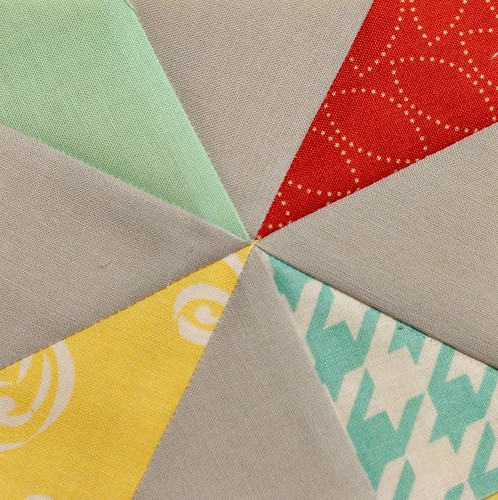
Press your seams and remove the paper on the back. Here's what your finished block will look like:

Foundation Paper Pieced Kaleidoscope Block Tutorial

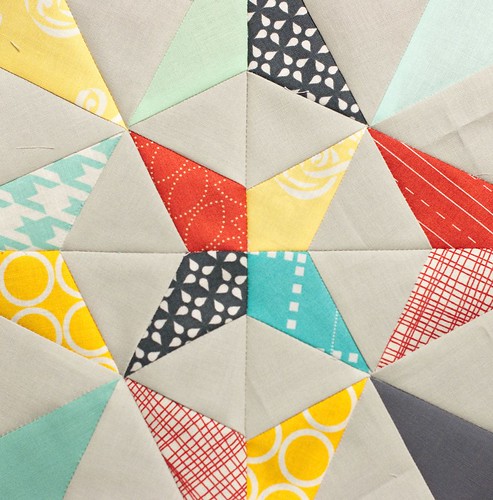
You can then repeat the above steps to make as many blocks as you like. Arrange the blocks as desired. Sew the blocks into rows and the rows together to make a pillow or quilt top.

PTS 9 - Paper Pieced Kaleidoscope

For my PTS9 pillow, I made 16 blocks and laid them out in a 4x4 layout. I then added a thin white border and then a thicker border to achieve my desired pillow top size.

Finished Pillow Talk Swap Round 9 Pillow

I was really pleased with how this pillow came together. I really want to make a quilt using this technique, but with larger block sizes. Perhaps that's something to put on 2013's to-do list.

Saturday, July 2, 2011

AccuQuilt GO! Baby Tutorial: Halloween Table Topper

Hi, everyone. I hope for you Americans that your July 4th weekend is off to a good start, and that the rest of you are having a great weekend! My kids rode in a parade this morning, and then Monday will be full of another parade, a helicopter candy drop (my son's favorite), a BBQ, bounce houses and slides, and fireworks.

**********

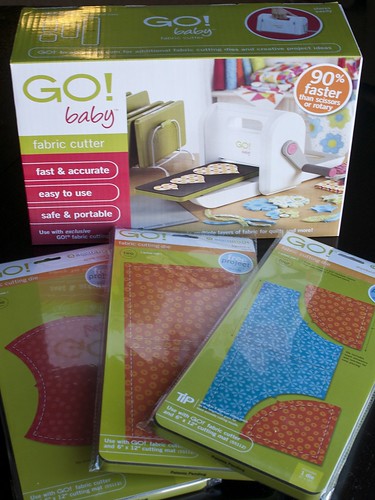
As you can guess, I'm part of AccuQuilt's Blogger Program. I was graciously sent a new Accuquilt GO! Baby Fabric Cutter and three dies of my choice to try out. One of the dies I chose is the apple core.

My new GO! baby

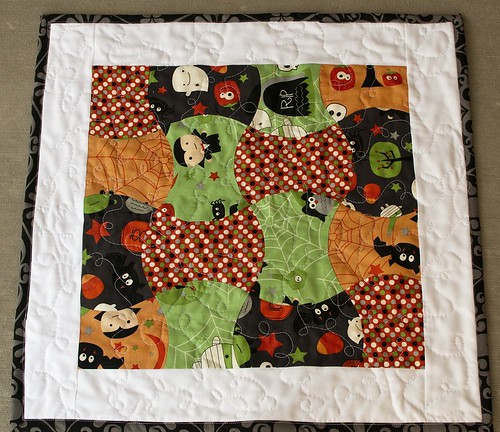
I thought it would be a fun design to use on a little Halloween wall-hanging/table topper. If you're anything like me, you have good intentions of making stuff for the holidays, but then time gets away from you and you're rushing to finish. Since I won't have any sewing time for Halloween (or Christmas for that matter) with a new baby, I thought I better get a jump start on some of my plans.

Halloween Wall-Hanging/Table Topper

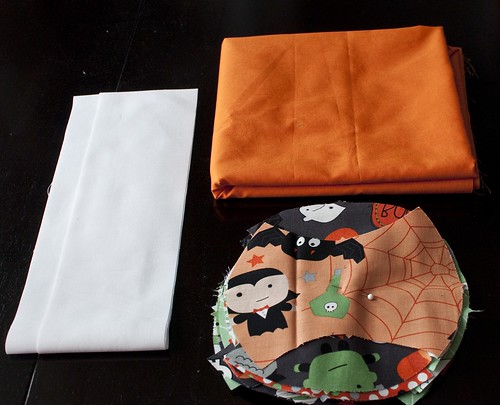
So, here we go. To make the wall-hanging (that doubles as a table topper) above, you will need:
  • 4 fat quarters of fabric of your choosing (you won't use the entire fat quarter, but 4 gives you a good variety of prints)
  • 2 strips of border fabric, cut at 2.75/3 inches (width of fabric)
  • PINS!
  • batting
  • backing fabric
  • binding fabric
  • AccuQuilt GO! Baby Fabric Cutter
  • apple core die

Halloween Wall-Hanging/Table Topper

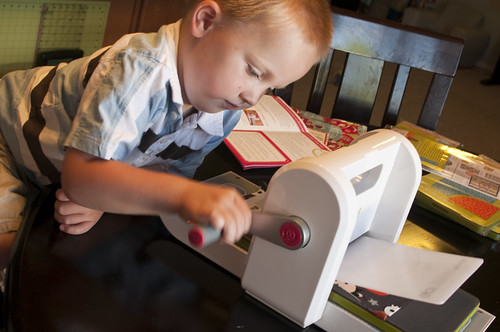
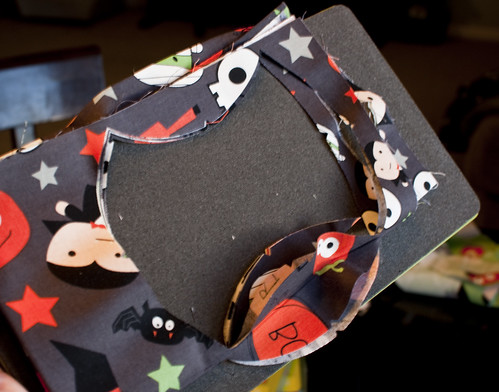
Fold your fat quarter(s) to cover the die, getting close to all edges to eliminate waste. (I was able to cut through six layers of fabric without a problem. You only need to have four apple core pieces from each fat quarter.) Place the die foam side up, the fabric on top of the die, and the cutting mat on top of the fabric.

Enlist the help of little ones to see how easy it is to cut through the fabric.

Halloween Wall-Hanging/Table Topper

On, my first cut through I didn't put the fabric as close to the edges of the apple core as I could have so I had a little more waste than I had planned. But it was still minimal and probably the same amount I'd get if I were cutting this shape out by hand. I've heard some people trace the die image with a Sharpie to help them see it better. I probably should have done that as I can see how it could help; although I didn't have a hard time seeing the outline of the shape at all.

Halloween Wall-Hanging/Table Topper

Repeat the cutting process three more times so you end up with 16 apple cores.

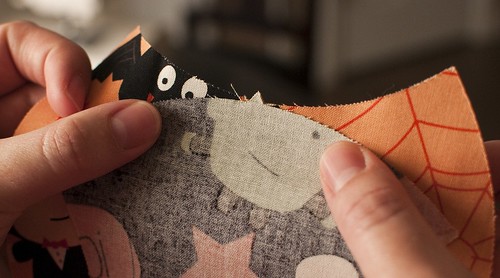
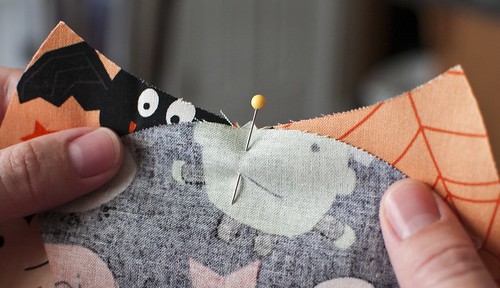
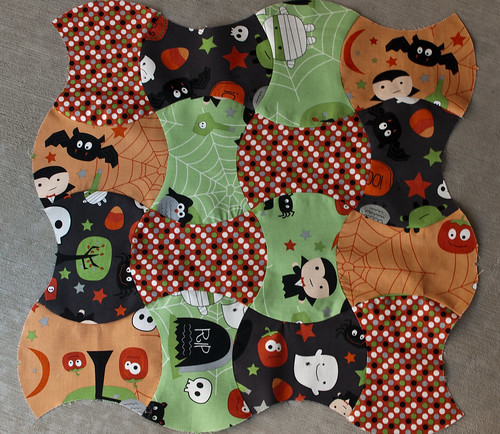
Now it's time to pin! If you've sewn curves before, you may not need pins, but I still found them helpful. The apple core die has notches to help you see where to align the convex and concave parts of the apple core shape.

Halloween Wall-Hanging/Table Topper

Insert a pin where those notches meet.

Halloween Wall-Hanging/Table Topper

Next, line up one corner and pin.

Halloween Wall-Hanging/Table Topper

Repeat with the other corner.

Halloween Wall-Hanging/Table Topper

Your fabric will be gathered; it won't lie flat.

Halloween Wall-Hanging/Table Topper

Now, just to be safe and ensure that your pieces don't shift as you sew them together, add pins between the left side and middle, and the middle and right side. (Tip: When sewing curves, it's always better to use more pins than you think you'll need.)

Halloween Wall-Hanging/Table Topper

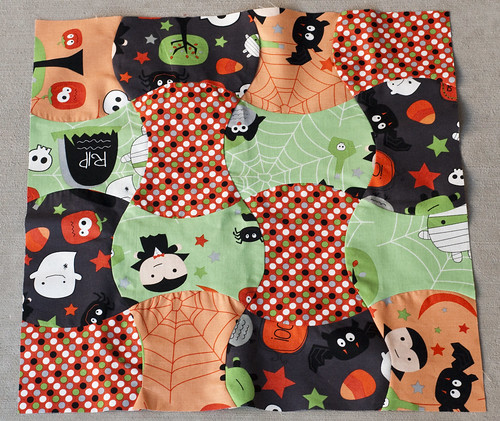
You're ready to sew! Piece your apple cores into rows. Then press them. I should have taken a picture of this part, but I didn't. For this shape, it's easiest if you press the convex parts of the apple core out and the concave parts in. Once your rows are pieced, sew them together to get a 4x4 layout.

Halloween Wall-Hanging/Table Topper

Next, square up your block.

Halloween Wall-Hanging/Table Topper

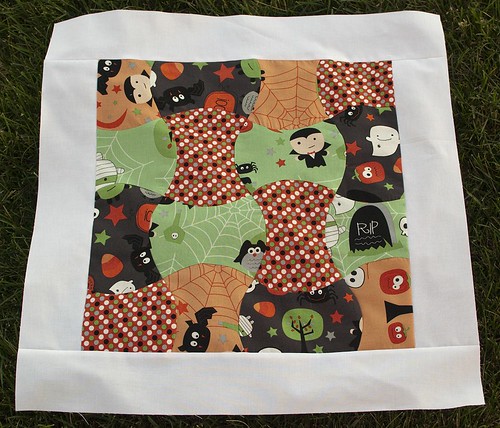
Add the border fabric to the top and bottom of the block, and then to the left and right sides. (Oops, I took a picture of the block sideways so my border is shown as being sewn to the sides first and then the top and bottom.)

Halloween Wall-Hanging/Table Topper

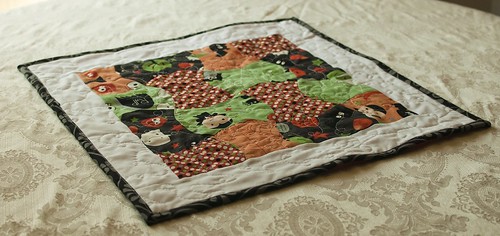
Baste, quilt, and bind.

Halloween Wall-Hanging/Table Topper

And put it on your table, or hang it on your wall.

Halloween Wall-Hanging/Table Topper

I have to admit that when Carolyn contacted me to see if I would like to participate in AccuQuilt's Blogger Program, I was so excited! When the box arrived on my doorstep, I couldn't wait to check it out. Cutting is my least favorite part of quilting (and basting isn't much fun either), so any ways of easing that step is something worth looking into. I am looking forward to trying out the other dies I received, and I already have a list of other dies I'd like to buy!

If you're interested in some free patterns, click the image below to sign up for AccuQuilt's newsletter.


Stay tuned for a chance to win your own AccuQuilt GO! Baby and three dies. Have a great weekend everyone!

LinkWithin

Related Posts with Thumbnails